The Story
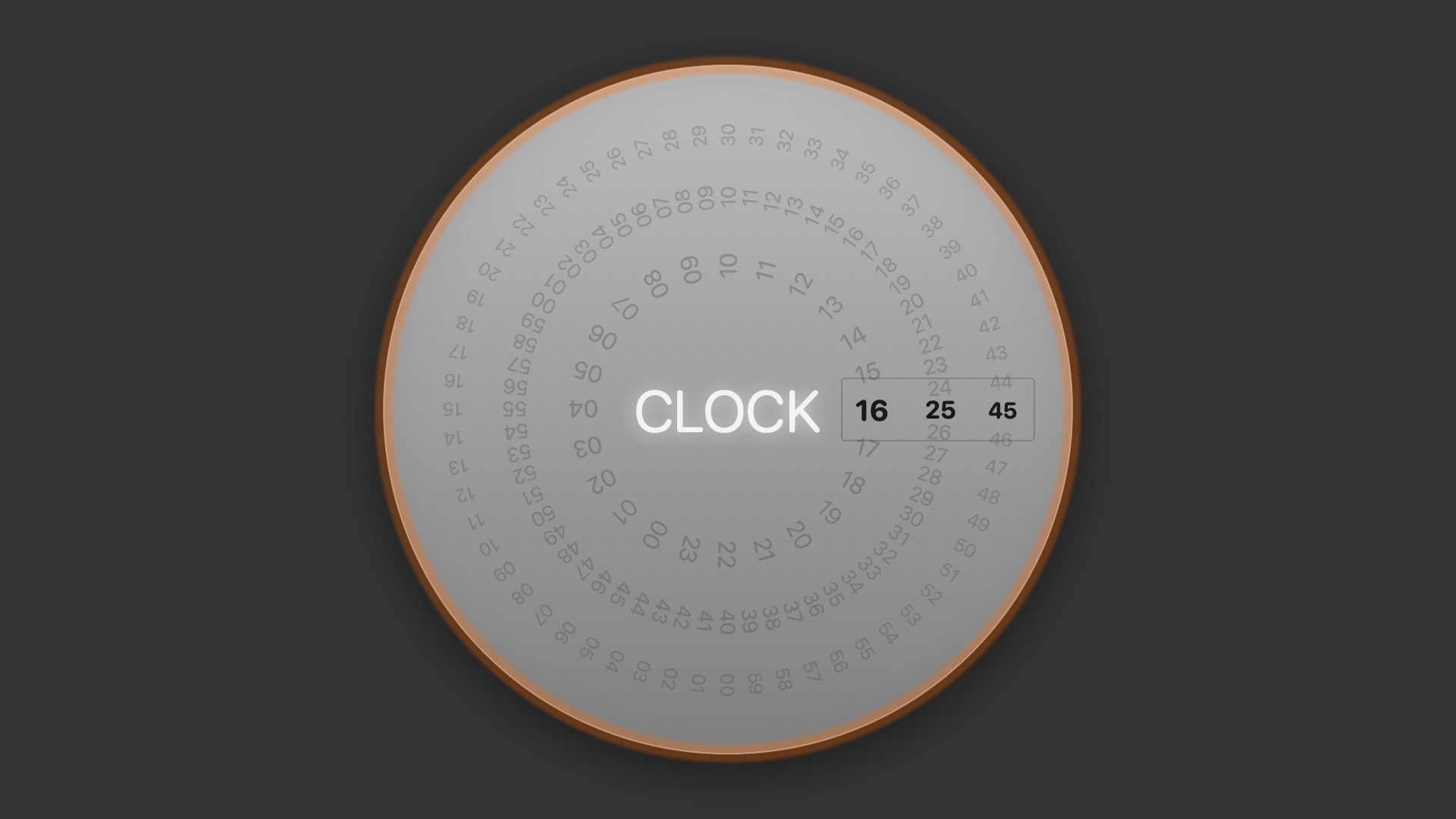
Rotating Clock flips the usual way of reading a dial: instead of hands sweeping past fixed numbers, the number rings themselves rotate so the current hour, minute and second each land inside a fixed read-out window. The three rings spin independently, snapping into place with a light spring animation whenever a digit changes.
The whole thing sits on a brushed-metal disc with a warm accent ring around the rim, reading more like a precision instrument gauge than an ordinary clock face — one of the most-loved prototypes to come out of the Lab.
Highlights
- Independent hour/minute/second number rings with a fixed read-out window
- Spring-snap animation on every digit change for a crisp, mechanical feel
- Brushed-metal disc texture with a warm accent rim
- Reads well on dark desktops, comfortable to leave running for hours
Best For
For those drawn to mechanical textures and precision-instrument aesthetics. Left running on a studio side monitor or a living-room screen, it quietly spins like a carefully crafted read-out gauge.
How to Install
- 1
Download
Click the download button for your favorite screen saver.
- 2
Install
Double-click the .saver file to install it on your Mac.
- 3
Activate
Open System Settings → Screen Saver and select your screen saver.
System Requirements
- macOS 12.4+
- Dark mode support
v1.2 · 334 KB