The Story
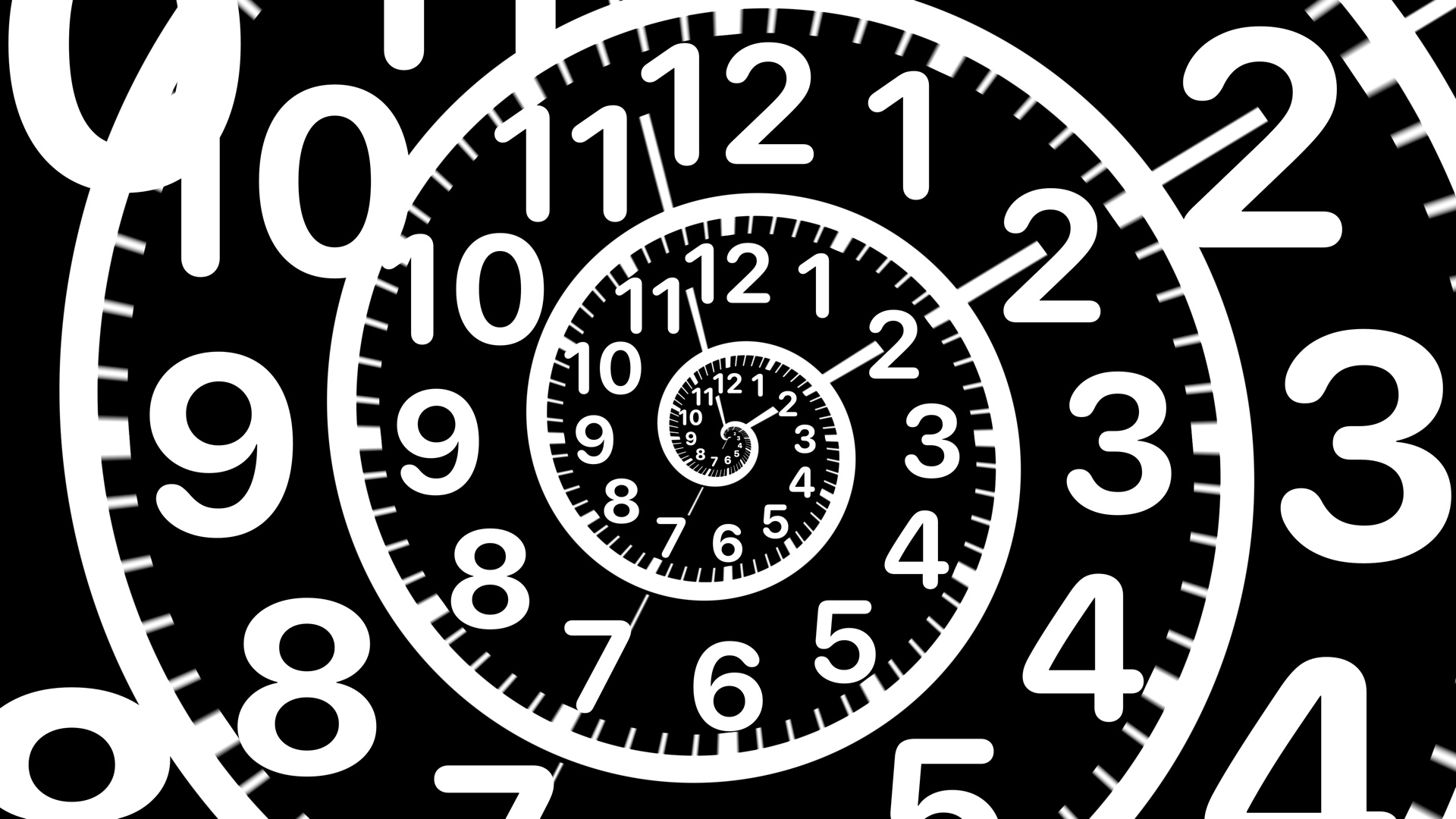
Spiral Clock rolls an ordinary dial into an endless spiral: ticks and numbers wind inward turn after turn, shrinking toward the centre, while the whole spiral slowly rotates — look long enough and it feels like being drawn in.
The hour, minute and second hands are not drawn on any single turn; they cut across every turn of the spiral, so whether you read the big outer numbers or the tiny dial at the centre, you get the same time. The spiral and hands are rendered live by a Metal shader, with the numbers overlaid as crisp text that stays sharp at any size.
Highlights
- A dial that winds endlessly inward along a slowly rotating spiral
- Hour, minute and second hands cross every turn — read the time on any ring
- Rendered live by a Metal shader with per-pixel anti-aliasing, crisp on big screens
- Minimal black-and-white palette, easy to leave running on a dark desktop
Best For
For fans of optical illusions and generative art. On a side monitor or a meeting-room screen, it is both a clock and a moving piece that makes passers-by stop for a second look.
How to Install
- 1
Download
Click the download button for your favorite screen saver.
- 2
Install
Double-click the .saver file to install it on your Mac.
- 3
Activate
Open System Settings → Screen Saver and select your screen saver.
System Requirements
- macOS 12.4+ (full spiral effect needs macOS 14+)
- Dark mode support
v1.2 · 334 KB